---
title: How to Reset Your Help Center Password
description: To reset your Happily Help Center password, follow these steps.
---
[Skip to content](https://faq.teamhappily.com/how-to-reset-your-help-centre-password#main-content)
English
Show submenu for translations
[](https://www.teamhappily.com)
Open main navigation
Close main navigation
- English
Show submenu for translations
- Go to teamhappily.com
Go to teamhappily.com
Hey there! What do you want to know?
- There are no suggestions because the search field is empty.
1. [Happily Help Center](https://faq.teamhappily.com/?hsLang=en)
2. [Becoming a Happily Specialist](https://faq.teamhappily.com/becoming-a-happily-specialist?hsLang=en)
3. [Creating a Happily Profile](https://faq.teamhappily.com/becoming-a-happily-specialist?hsLang=en#creating-a-happily-profile)
# How to Reset Your Help Center Password
## To reset your Happily Help Center password, follow these steps.
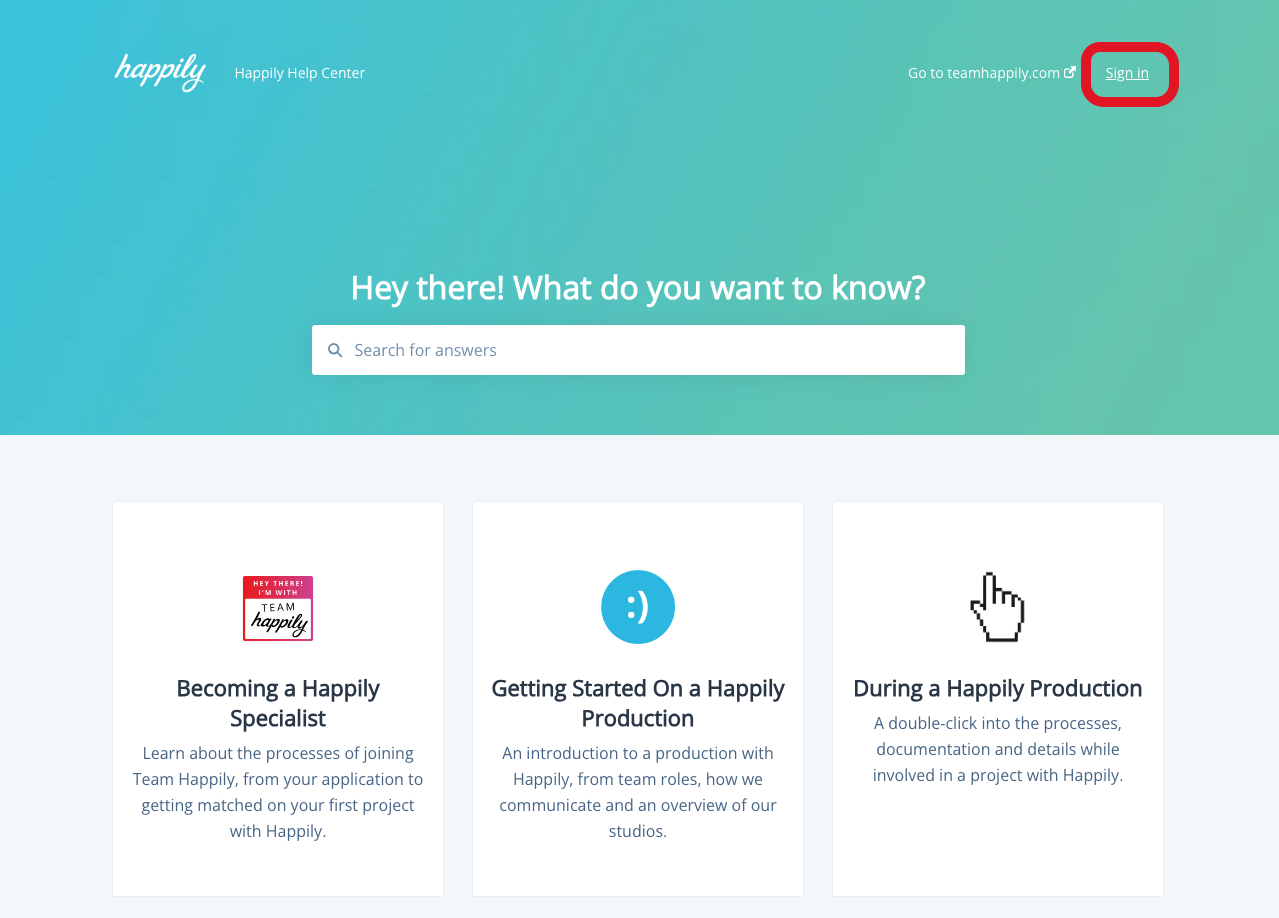
Firstly, if you're not there already, click *Sign In* on the header of the Happily Help Center.
### 
### Step One
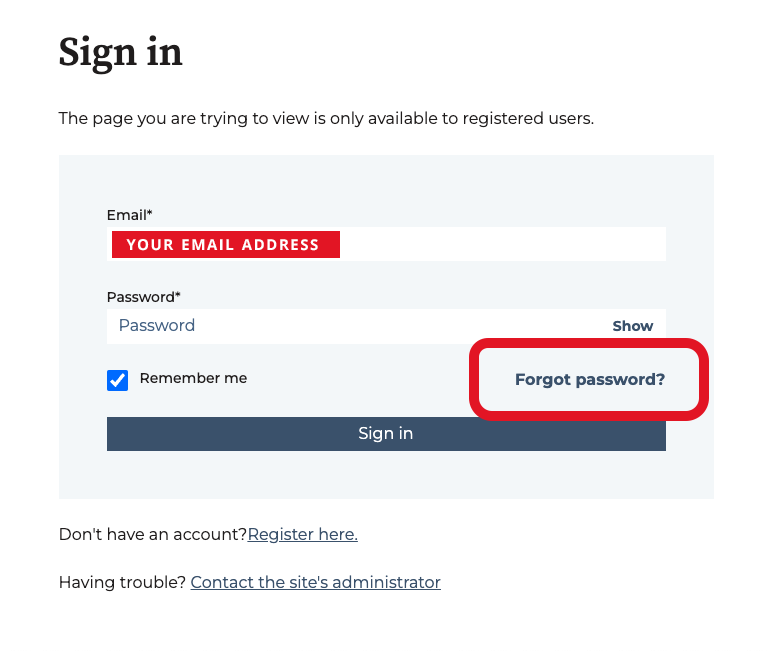
Type in the email address that is connected to your Happily profile.
Click *Forget Password.*
### 
### Step Two
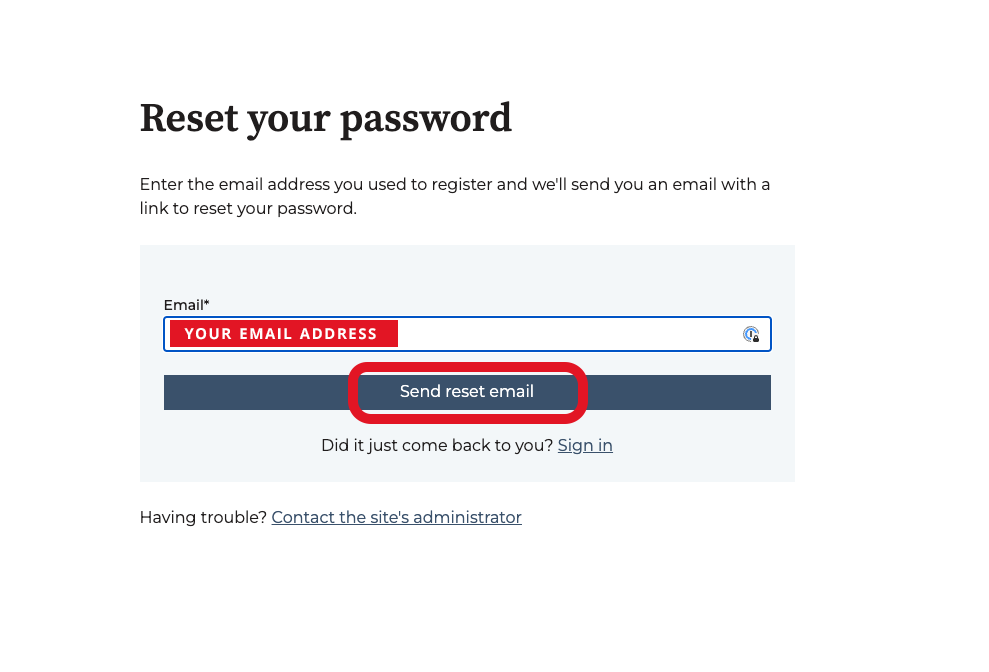
Confirm your email address.
Click *Send Reset mail.*
### 
### Step Three
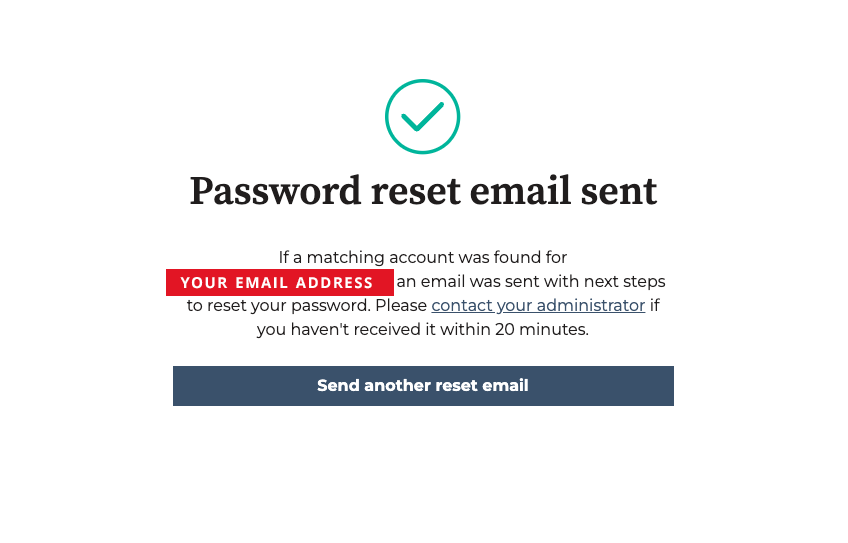
You will then see this confirmation message.
### Step Four
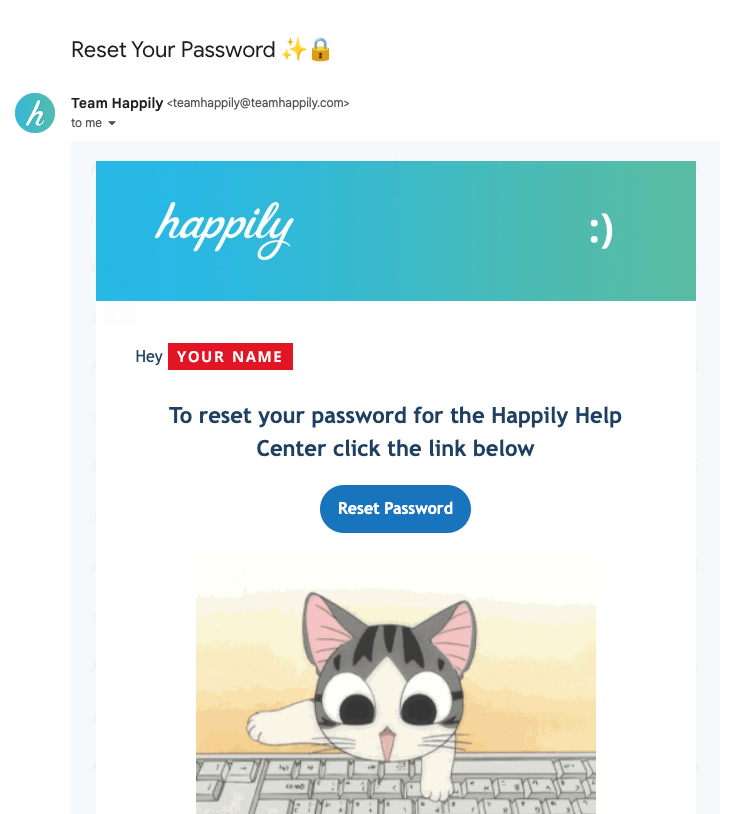
The following email will land in your inbox.
Click *Reset Password.*
### Step Five
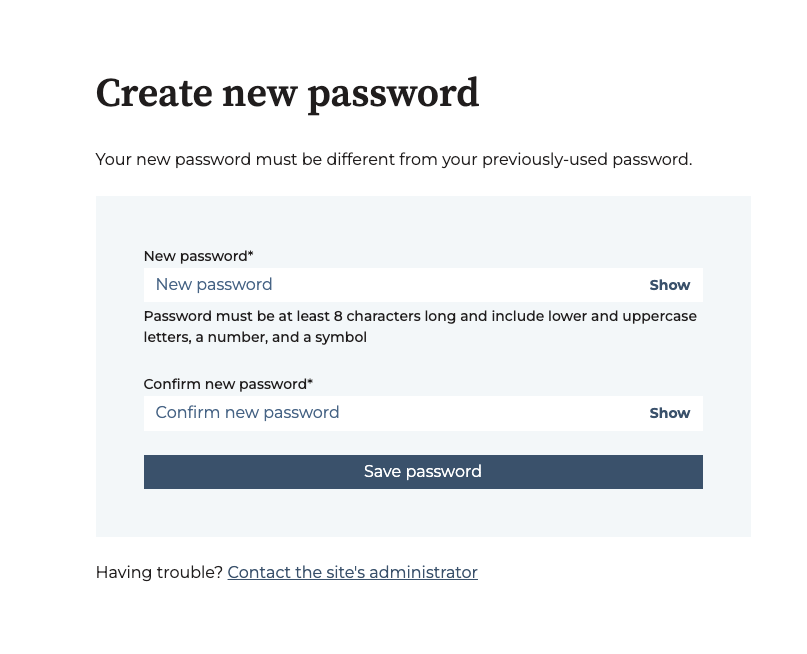
When you click *Reset Password* you will see this message. Follow the prompts to reset your password.
- [Fractional as a Client](https://faq.teamhappily.com/fractional-as-a-client?hsLang=en#main-content)
- [General Information](https://faq.teamhappily.com/fractional-as-a-client?hsLang=en#general-information)
- [Account and Subscription](https://faq.teamhappily.com/fractional-as-a-client?hsLang=en#account-and-subscription)
- [Guides](https://faq.teamhappily.com/fractional-as-a-client?hsLang=en#guides)
- [Becoming a Happily Specialist](https://faq.teamhappily.com/becoming-a-happily-specialist?hsLang=en#main-content)
- [Creating a Happily Profile](https://faq.teamhappily.com/becoming-a-happily-specialist?hsLang=en#creating-a-happily-profile)
- [Getting Started On a Happily Production](https://faq.teamhappily.com/getting-started-on-a-happily-production?hsLang=en#main-content)
- [Matching Process](https://faq.teamhappily.com/getting-started-on-a-happily-production?hsLang=en#matching-process)
- [Team Happily](https://faq.teamhappily.com/getting-started-on-a-happily-production?hsLang=en#team-happily)
- [Onboarding](https://faq.teamhappily.com/getting-started-on-a-happily-production?hsLang=en#onboarding)
- [Role Descriptions](https://faq.teamhappily.com/getting-started-on-a-happily-production?hsLang=en#role-descriptions)
- [Communication](https://faq.teamhappily.com/getting-started-on-a-happily-production?hsLang=en#communication)
- [Troubleshooting](https://faq.teamhappily.com/getting-started-on-a-happily-production?hsLang=en#troubleshooting)
- [During a Happily Production](https://faq.teamhappily.com/during-a-happily-production?hsLang=en#main-content)
- [Cancelations](https://faq.teamhappily.com/during-a-happily-production?hsLang=en#cancelations)
- [After a Happily Production](https://faq.teamhappily.com/after-a-happily-production?hsLang=en#main-content)
- [Payment and Invoices](https://faq.teamhappily.com/after-a-happily-production?hsLang=en#payment-and-invoices)
- [Happily Arrived](https://faq.teamhappily.com/happily-arrived?hsLang=en#main-content)
- [General Information](https://faq.teamhappily.com/happily-arrived?hsLang=en#general-information)
- [Account and Subscription](https://faq.teamhappily.com/happily-arrived?hsLang=en#account-and-subscription)
- [Using the Builder](https://faq.teamhappily.com/happily-arrived?hsLang=en#using-the-builder)
- [Hiring Experts](https://faq.teamhappily.com/happily-arrived?hsLang=en#hiring-experts)
- [Registration](https://faq.teamhappily.com/happily-arrived?hsLang=en#registration)
- [Collaborators](https://faq.teamhappily.com/happily-arrived?hsLang=en#collaborators)
- [Analytics](https://faq.teamhappily.com/happily-arrived?hsLang=en#analytics)
- [Integrations](https://faq.teamhappily.com/happily-arrived?hsLang=en#integrations)
- [Livestream / On-Demand](https://faq.teamhappily.com/happily-arrived?hsLang=en#livestream-on-demand)
- [Privacy and Security](https://faq.teamhappily.com/happily-arrived?hsLang=en#privacy-and-security)
[](https://teamhappily.com/)
Copyright © 2026, Happily